Do Smart Plugs Actually Save Money? The Real Running Costs
Smart plugs promise to cut your bills by killing standby power, but the numbers are smaller than you might expect. Here is the honest math.

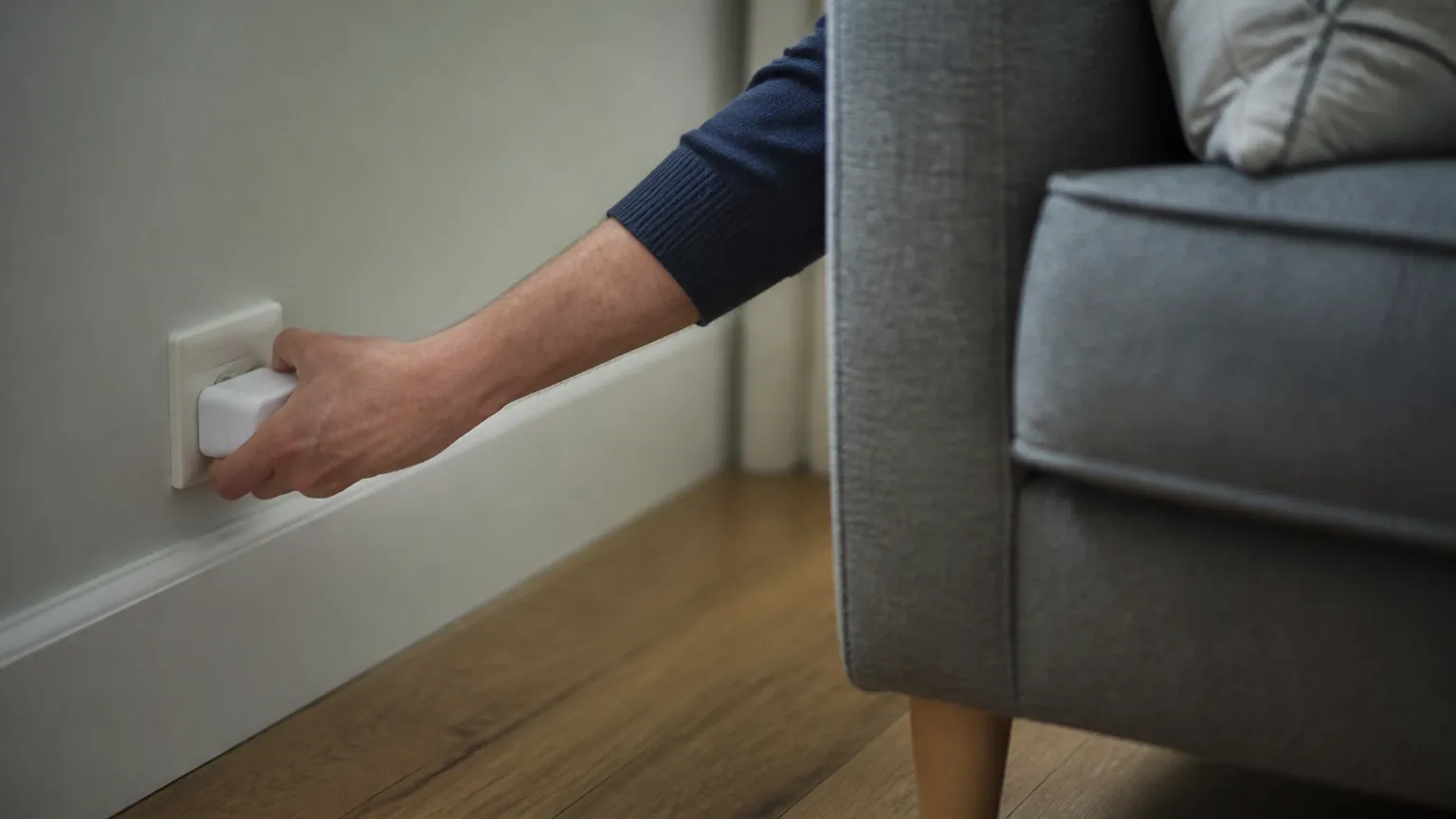
Smart plugs sit between your wall socket and whatever you plug into it, letting you switch things on and off from your phone or on a schedule. One of the main selling points is money: cut the "standby" power that gadgets draw while they sit there doing nothing, and watch your bill fall. It is a reasonable idea, but the savings are often much smaller than the marketing suggests. Some devices are worth automating, some will never earn back the cost of the plug, and a few should never go on a smart plug at all for safety reasons. Here is the plain math so you can decide for yourself.
What standby power actually is
Standby power, sometimes called vampire or phantom load, is the electricity a device uses when it is switched off or idle but still plugged in. A TV listening for its remote, a games console in rest mode, a microwave showing the clock, a phone charger sitting empty in the wall: all of these draw a trickle of power around the clock.
The key thing to understand is that standby loads are usually tiny. We are talking about a watt or two for most modern electronics, not tens or hundreds of watts. A device that draws 1 watt continuously uses about 8.76 kilowatt-hours (kWh) over a full year, because there are 8,760 hours in a year and 1 watt is a thousandth of a kilowatt. That is the number to hold onto: 1 watt of standby equals roughly 8.76 kWh per year.
How to turn watts into money
To get the yearly cost, multiply those kWh by your electricity rate. Rates vary a lot by country and by supplier, so throughout this article the example sum uses a rate of about 17 US cents per kWh. If you are in the UK (roughly 25p per kWh) or Australia (around 30 Australian cents per kWh), the costs will be noticeably higher, so scale the numbers up accordingly. Your actual rate is printed on your bill, and it is worth checking because it changes the whole picture.
So a 1-watt standby load costs roughly: 8.76 kWh × $0.17 = about $1.49 a year. At UK rates that is closer to £2.19, and at Australian rates around A$2.63. Keep that in mind as you read the table below.
What common devices really cost on standby
The figures below are commonly reported typical ranges, not measurements we took ourselves. Real devices vary, and newer models are often more efficient than older ones. Where a device has a genuinely high standby draw, it is usually an older or larger unit. The yearly cost column uses the 17 US cents example rate and assumes the device sits on standby 24 hours a day, which is the worst case.
| Device (on standby) | Typical standby watts | kWh per year | Yearly cost at 17¢/kWh |
|---|---|---|---|
| Phone charger, no phone attached | 0.1–0.5 W | 1–4 kWh | $0.15–$0.70 |
| Modern LED TV | 0.5–1 W | 4–9 kWh | $0.70–$1.50 |
| Microwave with clock display | 1–3 W | 9–26 kWh | $1.50–$4.50 |
| Games console in rest mode | 5–15 W | 44–131 kWh | $7.50–$22 |
| Older set-top box or DVR | 10–20 W | 88–175 kWh | $15–$30 |
| Desktop PC in sleep | 2–5 W | 18–44 kWh | $3–$7.50 |
| Coffee machine with keep-warm/display | 1–3 W | 9–26 kWh | $1.50–$4.50 |
| Wi-Fi router (you should leave this on) | 5–12 W | 44–105 kWh | $7.50–$18 |
A pattern jumps out. Most small electronics cost well under $2 a year on standby. The devices that genuinely waste money are the ones with real work going on in the background: older cable boxes, digital video recorders, and games consoles left in rest mode. Those are where a smart plug, or simply switching off at the wall, can save a noticeable amount.
When a smart plug pays for itself, and when it never will
A basic smart plug costs roughly $10 to $25 each (around £10 to £20, or A$15 to A$35). To work out whether it pays off, compare that price to what you would actually save by cutting the standby load.
Take a phone charger at about 0.3 watts. It costs you maybe 45 cents a year. A $15 smart plug would take more than 30 years to pay for itself, by which time the plug will be long dead. That is a clear no.
Now take an older set-top box drawing 15 watts in standby, used in a house where nobody watches it overnight. If a smart plug kills that load for, say, 10 hours a day, you save roughly 54 kWh a year, which is about $9 at the example rate (and more at UK or Australian rates). At that pace a $15 plug pays back in under two years, and keeps saving after that.
The honest rules of thumb
- Standby under about 2 watts: not worth a smart plug on cost grounds. The savings are pennies a year. Use a plain switched power strip if you want to kill it, or just leave it.
- Standby of 5 watts or more, left on when nobody is using it: this is where a smart plug or timer earns its keep, especially at UK and Australian electricity prices.
- Anything you can simply turn off at the wall: a flick of a switch costs nothing and saves the same power. A smart plug only adds value if the switch is awkward to reach or you want a schedule.
- The smart plug itself uses power too. Most draw around 0.5 to 1 watt to keep their Wi-Fi connection alive, which is roughly $0.70 to $1.50 a year. On a tiny load, the plug can use more than it saves.
Energy-monitoring plugs: useful, with limits
Some smart plugs measure how much power the attached device is using and show it in an app, often in watts and kWh. These are genuinely handy for one job: finding out what your gadgets actually draw, rather than guessing from a table like the one above. If you suspect an old appliance is a quiet money-waster, a monitoring plug will tell you in a week or two.
Two caveats. First, the readings are estimates, not laboratory-grade metering, so treat them as a guide. Second, once you have measured a device and dealt with it, the monitoring feature has done its job. You do not need a monitoring plug on every socket forever. A single one, moved around the house, usually tells you everything you need to know.
Safety: what not to plug in
This matters more than the money. Every plug has a maximum rating, printed on the plug or in the manual, given in watts and amps. Mains voltage differs by country: about 120 volts in the US and Canada, 230 volts in the UK, and 230 to 240 volts in Australia. That affects the amps a given appliance pulls, so always go by the plug's stated rating.
- Never put a space heater, electric kettle, iron, hair dryer, or other high-wattage heating appliance on a smart plug unless the plug is specifically rated for that load. These draw a lot of current and can overheat a plug that is not built for it.
- Check the numbers. A typical smart plug is rated around 10 to 15 amps, which is roughly 1,800 watts at 120 volts or around 2,400 watts at 230 volts. A 1,500-watt heater sits right at the limit, and running at the limit continuously is asking for trouble.
- Do not daisy-chain a smart plug into a power strip into another strip. Plug directly into the wall where possible.
- Look for safety marks for your region: UL or ETL in the US, the UKCA or CE mark and a BS 1363 plug in the UK, and the regulatory compliance mark (the tick in a triangle) in Australia.
- Keep plugs away from water and do not use indoor plugs outdoors unless they are rated for it.
If a smart plug ever feels hot to the touch, smells of burning, or discolors, stop using it immediately and unplug it. That is not a quirk to monitor; it is a fault.
The short version
- One watt of standby power costs roughly $1.49 a year at 17 cents per kWh, more at UK (25p) and Australian (30¢) rates.
- Most small electronics draw under 2 watts on standby, so a smart plug will almost never pay for itself on those.
- The real savings come from older set-top boxes, DVRs, and games consoles in rest mode, which can waste $10 to $30 a year each.
- A monitoring plug is best used briefly to find hidden loads, then moved on; a plain wall switch saves the same power for free.
- Never use a smart plug on heaters or other high-load appliances above its rating, and stop at once if it gets hot.
Emma Clarke
Home & Kitchen writer · Melbourne
Emma covers home and kitchen gadgets, from smart plugs to air fryers. She focuses on what things really cost to buy and run at home, and on the features that matter once the novelty wears off.
Keep reading
Robot Vacuums in Older Homes: Rugs, Thresholds and Stairs
Older houses have doorways, rugs with tassels and stairs that trip up robot vacuums, so here is what actually matters before you spend the money.

What Is an OBD2 Scanner, and Do You Actually Need One?
That little socket under your dashboard can tell you why the check engine light is on. Here's what a scanner reads, what it costs, and who really benefits.
Hidden Car Features: What 'Coding' Can Unlock on VW, Audi and BMW
Many German cars ship with features switched off in software. Here is what coding through the OBD port can turn on, and the risks worth knowing first.
Comments
No comments yet. Share your experience or ask a question.